



August 20, 2016
Star diagnosis SD Connect C4 Cannot Find Road24h (solved)


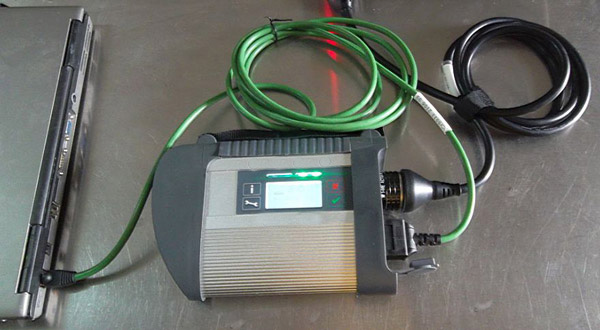
Here is the solution to the Mercedes-Benz MB Star diagnosis SD Connect C4Road24h problem when set wifi connection.
Find no where theRoad24h is usually divided into 3occasions:
Usually there are 3 when you cannot findRoad24h
1.YoucannotfindRoad24h

2.YoucanfindRoad24hbutitisnotcompatible with the SD Connect C4.

3.Itiscompatiblebutbutdisplays"nosignalâ€
Possible reason:
You have not connect the MB SD C4 main unit with cables correctly.
Solution:
1.ConnecttheSD C4andthecarasthe following picture:
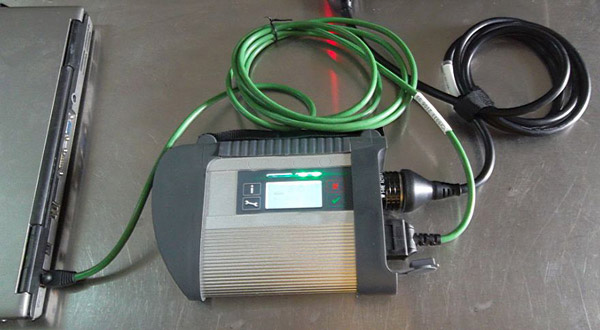
2.Check if WiFi is well set or used normally. If not follow the correct instruction to set WiFi connection.
https://www.youtube.com/watch?v=Ql3vKstL_4k
Posted by: mbbenzstar at
06:40 AM
| No Comments
| Add Comment
Post contains 93 words, total size 3 kb.
16kb generated in CPU 0.017, elapsed 0.0691 seconds.
35 queries taking 0.0585 seconds, 88 records returned.
Powered by Minx 1.1.6c-pink.
35 queries taking 0.0585 seconds, 88 records returned.
Powered by Minx 1.1.6c-pink.

