



May 30, 2017
MB Star Diagnosis Coding Out ABC on Mercedes R230 Cars
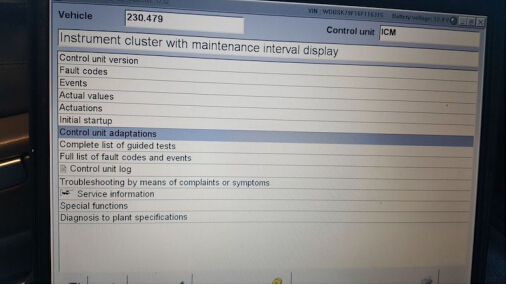
After ICM, you will see Control Unit Adaptions :
From there, select Special Equipment
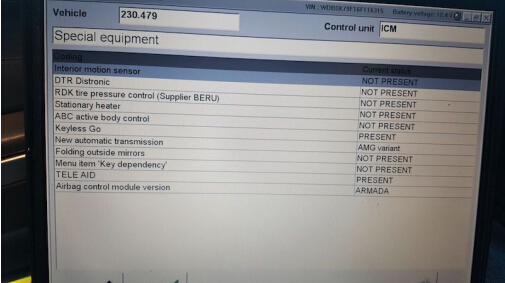
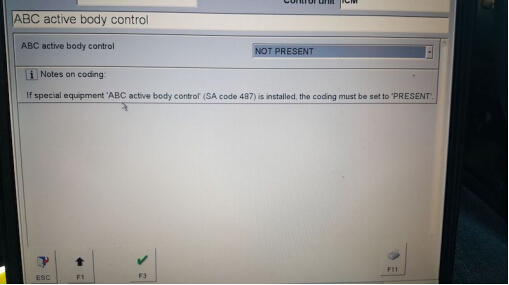
• Then go to the drop down tab and change it from PRESENT to NOT PRESENT, and click F3.
• After that, turn off the car, with the doors closed.
• Wait 1-2 mins and start the car back up (no more ABC codes and no white or red lights).
MB Star diagnosisDAS software can code out ABC, here is the example on code out Mercedes SL65.
NOTE : the instruction here only for R230s (not any W215, W216, W220, W221)
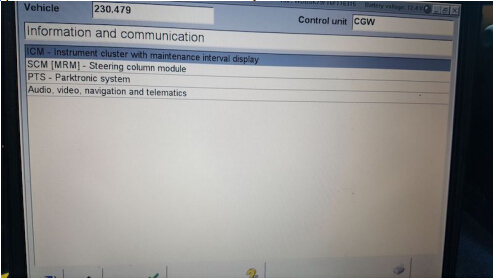
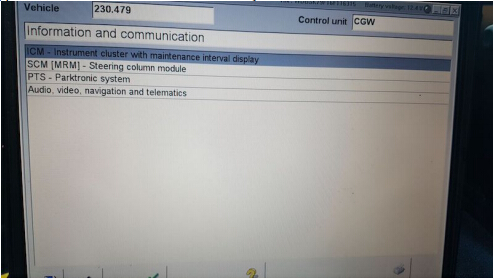
To do this, you need a MB Star diagnosticSD Connect C4with Developer mode. Hook up SD Connect diagnostic system to your car and when it reads your car, select Control Units, pick Information and Communication and you will see ICM :
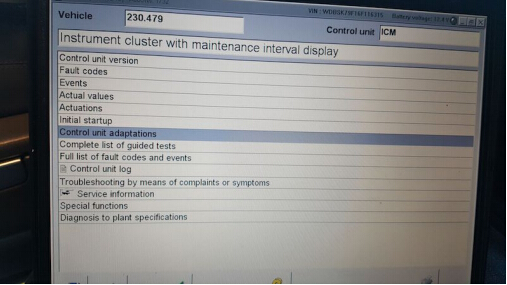
After ICM, you will see Control Unit Adaptions :
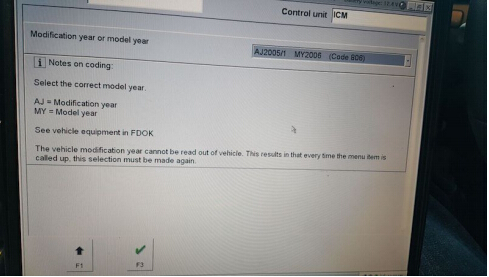
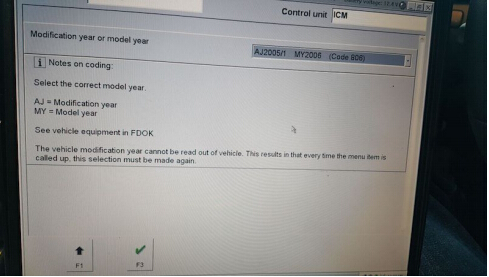
From there, choose the year of your model :
From there, select Special Equipment

Select ABC :
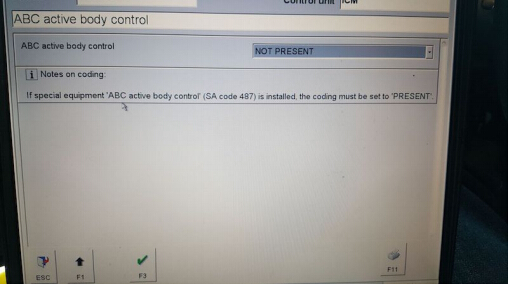
• Then go to the drop down tab and change it from PRESENT to NOT PRESENT, and click F3.
• After that, turn off the car, with the doors closed.
• Wait 1-2 mins and start the car back up (no more ABC codes and no white or red lights).
Posted by: mbbenzstar at
08:53 AM
| No Comments
| Add Comment
Post contains 159 words, total size 5 kb.
18kb generated in CPU 0.1041, elapsed 0.1334 seconds.
35 queries taking 0.1203 seconds, 88 records returned.
Powered by Minx 1.1.6c-pink.
35 queries taking 0.1203 seconds, 88 records returned.
Powered by Minx 1.1.6c-pink.

