



November 25, 2021
If you love your BMW and want it to run for a long time, you can not miss this tutorial ofAutel IM608 MaxiIMBMW battery registration Tool
Let's take the2015 BMW 528ias an example

Plug Autel IM608 connector into OBD, go access
- Diagnostics >> VIN >> Auto detect >> Accept >> OK >> Yes


Turn the ignition off.
Please wait...
Turn ignition on.
- Service >> Body >> Voltage supply >> Battery >> Register battery replacement >> Register battery exchange


It’s processing... Wait for 100%.
Press "F1â€to register the battery replacement.
Note: the history of the last battery exchange is deleted after programming.
3 kinds of battery capacity, just select from your case.
F1: same capacity
F2: higher/lower capacity.
F3: change from normal lead-acid battery to absorbent Glass Mat(AGM) or EF battery.
Is the newly installed battery an original component? No.
Battery replacement is entered.
Please wait...
The battery exchange was successfully registered.
The following was entered:
Last battery exchange: 139030km
Last but one battery exchange: 0km
Note:
In some engine control unit, it is possible that:
After
registration, the last battery exchange and the last but one battery
exchange are set to 0 km or can be displayed correctly only after going
to the history of the last battery exchange again.


Follow the prompts, continuous press "Continueâ€.
Note:
Full
functionality is only available with a valid state of charge. Functions
such as the Automatic Start/Stop function or intelligent generator
control can be restricted up to a fully valid charge state or can be
unavailable.
The date and time of the vehicle will be set.
If they are not correct, please set date and time manually.
Service function completed.
Done!

This is how to use Autel IM608 Scannerto do register battery replacement for a BMW.
Thanks to Auteldiag for making this article: https://www.auteldiag.com/service/autel-maxiim-im608-bmw-register-battery-replacement.html
Posted by: mbbenzstar at
10:05 AM
| Comments (4)
| Add Comment
Post contains 309 words, total size 5 kb.
September 15, 2021
Issue:
Internal fault, Diagnosis multiplexer, Code: 10766

Solution:
-
In the system files, find Hyper-V Manger in windows administrative tools, then click it.

-
Click Virtual Switch Manager >> Ether, choose your computer Network card here.


-
Right click on the Network, open Network & Internet settings.

-
Click Ethernet >> Change adaptor options >> Right click vEtherent >> Properties >> Double click Internet Protocol Version 4(TCP/IPv4) >> Select Use the following IP address, enter the IP address.
Set IP address as following
IP address:172.29.127.124
Subnet mask:255.255.0.0


Done!
Hope this is helpful.
Posted by: mbbenzstar at
08:02 AM
| Comments (3)
| Add Comment
Post contains 138 words, total size 3 kb.
July 28, 2021
Do not know how to choose MB Star Diagnostic Tool? Here we have picked out 4 to make a comparison. Let’s find what are the differences between them.
Super MB Pro M6vs. MB SD C4 Plusvs. SD Connect C4 vs. OEM MB C6
| Item | Super MB Pro M6 | MB SD C4 Plus/ SD Connect C4 Plus | SD Connect C4 | OEM MB C6 |
| Image | 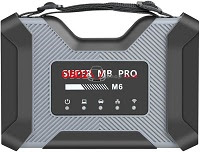 |
 |
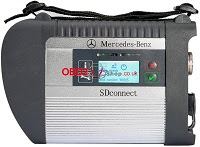 |
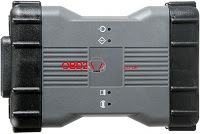 |
| Diagnosis Full System | √ | √ | √ | √ |
| Online Program | √ | √ | √ | √ |
| Offline Program | √ | √ | √ | × |
| Brush To Hide | √ | √ | √ | √ |
| Maintenance Service | √ | √ | √ | √ |
| Xentry | √ | √ | √ | √ |
| DAS | √ | √ | √ | √ |
| HHTWIN | √ | √ | √ | × |
| EPC | √ | √ | √ | √ |
| WIS | √ | √ | √ | √ |
| Vediamo | √ | √ | √ | × |
| DTS Monaco | √ | √ | √ | √ |
| Star Finder | √ | √ | √ | √ |
| PL73 | √ | √ | √ | √ |
| SDmedia | √ | √ | √ | √ |
| Doip | √ | √ | × | √ |
| Truck/ BUS | √ | √ | √ | Portion |
| Firmware Update | √ | √ | √(Need to install batteries) | √ |
| Wire | Direct connection | Direct connection | Point to point | Direct connection |
| Wireless | LAN | LAN | LAN | LAN/USB cable |
| Software Version | 2021.06 | 2021.06 | 2021.06 | 2021.06 |
| Hardware Version | OS:2.3, CSD:2.11 | OS:2.3, CSD:2.11 | OS:2.3, CSD:2.11 | 1.84 |
| Heat Dissipation | Heat sink + fan | Heat sink | × | × |
| Software Language(Can switch directly) | English/Bulgarian/Danish/Greek/Spanish/French/Italian/Korean/Polish/Romanian/Serbo-Croatian/Turkish/Czech/German/Finnish/Hungarian/Japanese/Dutch/Portuguese/Russian/Swedish/Chinese | |||
Differences
According to the form, both Super MB Pro M6& MB SD C4 Plussupport all functions while the others do not support. Among them, the heat dissipation of M6 is better than C4 Plus, but its price is cheaper.
Summary
Either Super MB Pro M6or MB SD C4 Plusis the most multifunctional MB Star diagnostic tool than others.
Super MB Pro M6has the same functions as MB SD C4 Plus, but with a better price. It can be a perfect alternative of MB SD C4 Plus.
http://blog.obd2shop.co.uk/comparison-super-mb-pro-m6-vs-c4-vs-c6/
Posted by: mbbenzstar at
09:27 AM
| No Comments
| Add Comment
Post contains 312 words, total size 9 kb.
June 25, 2021
Customer question: Where does AP200 upload data? Look at my pictures below, I can't find the data logging function anywhere.


Answer from Auteldiag's enginner:
This is in the History record, log cannot be uploaded data here

The
Data Logging section allows you to launch the Support platform directly
to view all records of all sent or unsent (saved) data logging on the
diagnostic system.
Today,Auteldiag will tell you how torecord and upload theAutel AP200Data Logging, We use a 2016 wrangler as an example,here you are:
To submit Data Logging reports in Autel Autel MaxiAP AP200:
1. Tap the Data Logging button. The button displays blue during the active recording process.


2. Tap the Data Logging buttonagain to finish the recording. A submission form will display to let you fill in the report information.


3. Tap the Send button to submit the report form via the internet, a confirmation message displays when sending is successful

Works done!
http://blog.auteldiag.com/how-to-record-upload-autel-maxiap-ap200-data-logging/
Posted by: mbbenzstar at
10:03 AM
| Comments (2)
| Add Comment
Post contains 165 words, total size 5 kb.
May 27, 2021
Autel has updated IMMO software information for Key Programmer Devices. Please keep upgrading for latest version to acquire newer features and maintain normal running.
IMMO Software Update:
Region: Global
Makers: Volkswagen, Audi, Skoda, Seat
Device: Autel IM508/ IM608, Autel MX808, Autel MaxiSys Series(MS906/ MS906BT/ MS908S Pro), Autel Elite.
Highlights released in April 2021:
Version: V4.90
Highlights: none
Region: Global
Makers: Porsche
Device: Autel IM508/ IM608, Autel MX808, Autel MaxiSys Series(MS906/ MS906BT/ MS908S Pro)
Highlights released in April 2021:
Version: V4.90
Highlights: none
Region: Europe, USA, Asia, etc.
Makers: Opel, Saab
Device: Autel IM508/ IM608, Autel MX808, Autel MaxiSys Series(MS906/ MS906BT/ MS908S Pro)
Highlights released in April 2021:
Version: V3.40
Highlights:
- Adds 'Immo status scan' function.
Released contents:
- Adds 'Immo status scan' function.
- Adds 'Read immobilizer password' function for engine Z20DTH, X16XE and X16SRZ.
- Optimizes 'Read immobilizer password' function for K-line ECM.
- Optimizes the menu.
Region: Europe, USA, Asia, etc.
Makers:GM, Holden, Hummer
Device: Autel IM508/ IM608, Autel MX808, Autel MaxiSys Series(MS906/ MS906BT/ MS908S Pro)
Highlights released in April 2021:
Version: V3.30
Highlights:
Released contents:
- Adds 'Vehicle immo information' function for old CKE model and some new models.
Region: China
Makers: GM China
Device: Autel IM508/ IM608, Autel MX808, Autel MaxiSys Series(MS906/ MS906BT/ MS908S Pro)
Highlights released in April 2021:
Version: V3.40
Highlights:
- Adds 'Add key' and 'All keys lost' functions for 2020-2021 models: CT4, CT5 and
Envision S.
Released contents:
- Adds 'Add key' and 'All keys lost' functions for 2020-2021 models: CT4, CT5 and
Envision S.
http://blog.auteldiag.com/autel-key-programmer-immo-software-update-apr-2021/
Posted by: mbbenzstar at
07:27 AM
| Comments (2)
| Add Comment
Post contains 255 words, total size 3 kb.
January 11, 2021
Comment
utiliser Autel MaxiIM IM508 pour programmer la puce de clé
d'immobilisation ID48 pour une Volkswagen New Beetle 2006? Vous pouvez
apprendre étape par étape ci-dessous:
Connectez Autel IM508 avec l'interface VW OBD2, appuyez sur le bouton de la tablette du scanner:
IMMO
>> Accepter >> Volkswagen >> Mode expert >>
Apprentissage des touches >> Détection automatique


Volkswagen
/ Lamborghini Gallardo-2005 (KWP2000) >> Obtenir automatiquement
le code PIN / CS du moteur >> OK >> Apprentissage des clés


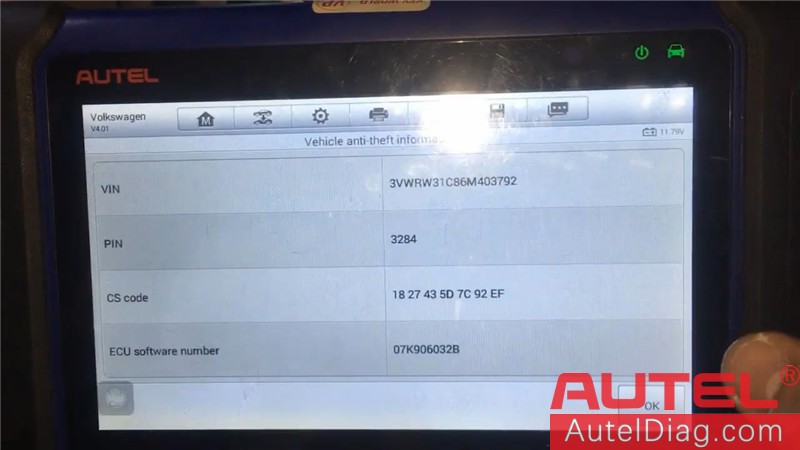

Entrez le nombre de clés à apprendre, appuyez sur «OK».
Coupez le contact pendant 5 s, puis de nouveau sur ON, appuyez sur «OK» dans les 2 secondes.
Apprentissage de la clé en cours ... Coupez le contact, insérez chaque clé à apprendre et mettez le contact pendant une période continue de 2 s, appuyez sur «OK». Apprentissage des clés terminé !, appuyez sur «OK». Coupez
le contact, puis remettez le contact sur ON et démarrez le moteur. Si
le contact ne peut pas être démarré, veuillez attendre 5 min puis
redémarrez le moteur. Appuyez sur "OK". Tester les touches fonctionne ou pas, tout va bien, peut fonctionner normalement! Le travail est terminé! Il s'agit d'une procédure de programmation de clé ID48 pour une Volkswagen New Beetle 2006 avec Autel IM508 Key Programmer. Auteldiag.com fera plus de tests de véhicules à mettre à jour ...


Copyright Auteldiag.com Blog officiel Original: http://blog.auteldiag.com/program-vw-new-beetle-2006-id48-key-chip-by-autel-im508/
Posted by: mbbenzstar at
08:37 AM
| Comments (1)
| Add Comment
Post contains 242 words, total size 11 kb.
September 24, 2020
When opening EPC.net and may geterror "application blocked by Java Security†on SD connect c4 / c5(Item No.SP100-E1SP100-B,SP255,SP255-E).
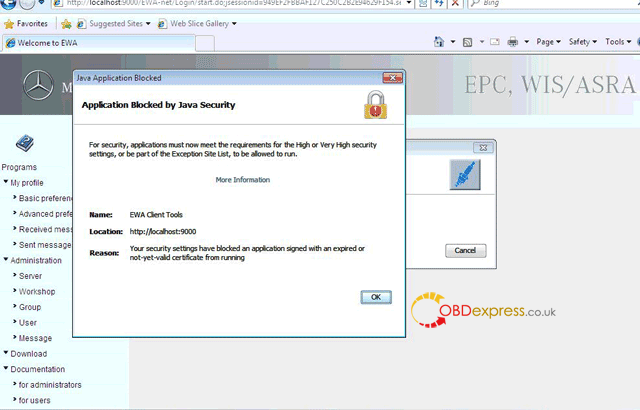
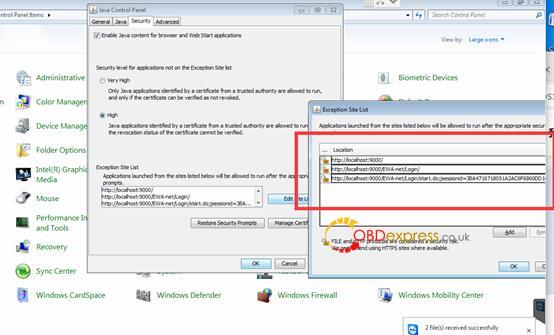
Please do like this:
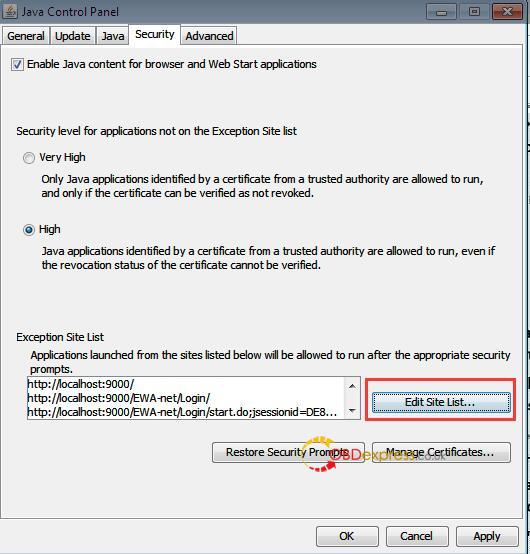
Go toComputer -> Start -> Control Panel -> Java -> Security -> In Exception Site List, copy and paste the following 3 links of EWA.
http://localhost:9000/
http://localhost:9000/EWA-net/Login/
http://localhost:9000/EWA-net/Login/start.do;jsessionid=09830CCA323DC5E3C3E9FB9A2EC1B32B.server1
One more question: which MB Star may have this error that I will notice?
Answer: if you got from obdexpress.co.uk, that is any of
Buddies, MB Star EPC.net error "application blocked by Java Securityâ€
has working solution now, thanks to obdexpress.co.uk engineer.
Good luck!
http://blog.obdexpress.co.uk/2020/09/24/fixed-mb-star-epc-net-error-application-blocked-by-java-security/
Posted by: mbbenzstar at
03:54 AM
| Comments (2)
| Add Comment
Post contains 106 words, total size 3 kb.
September 02, 2020
MB Star SD DOIP C4 SDconnect toolkit error: register/configure(212 "The key is not divisible by 2 and therefore not hexadecimal.â€

Working solution by obdexpress.co.uk engineer:
- Do not check the option "Wlan parameters. workshopâ€.
- Reset the key number as 26 lowercase letter: aaaaaaaaaaaaaaaaaaaaaaaaaa.

Mercedes Benz star diagnostic tool tech support:
http://blog.obdexpress.co.uk/tag/sd-connect-c4/
Posted by: mbbenzstar at
09:11 AM
| Comments (8)
| Add Comment
Post contains 65 words, total size 5 kb.
August 28, 2020
Offer free source of XENTRY Diagnostics OpenShell – PassThru (OpenShell 09/2020 Final – XDOS 20.9.4 ).
– XENTRY Diagnostics OpenShell 09/2020 (20.9.4) – final version –
– XENTRY Diagnostics PassThru 09/2020 (20.9.3) – final version –
Credits to @ Smallville.
(Try on your own risk)
XDOS OpenShell 2020-09 ( 20.9.4 )
https://mega.nz/file/hmoHXKoS#HYXsIOV4alSoZ7onsasz1GYWH-TMfgpeonyNwgVn1TE
XDOS 2020.09 (20.9.4) direct_link – Final Version
XDOS_2020.06_(20.6.4)_direct_link
Xentry Passthru 06.2020 [20.9.3] – Torrent.rar
XDOS 2020-09 Win7 Fixed Solution
https://mega.nz/file/tmYhEKhL#ZuvICMC0sW50KHcjdQYw7vAGr0dfitdpgf9e0KoEJyU
XDOS_09.2020_Missing_Pics_Fixed_x64.rar


reliable source:Security: 100% yes
Xentry V2020.6 reliable link (ssd version)
Xentry V2020.6 reliable link (hdd version)
Software includes:
Xentry 06.2020
DAS 06.2020
EPC 11.2018
WIS 11.2018
SDmedia offline 2014
HHT-WIN
Vediamo 5.01.01
Vediamo Database 2019
Star Finder 2008 & 2016
PL73 2019
DTS Monaco 8.13.029
Enjoy!
http://blog.obdexpress.co.uk/2020/08/28/xentry-diagnostics-openshell-09-2020-xdos/
Posted by: mbbenzstar at
07:39 AM
| Comments (2)
| Add Comment
Post contains 127 words, total size 16 kb.
August 19, 2020
Have a Mercedes W124 2.5d from 1992, W124 2.0 petrol from 1994 and a W212 E350 CDI 10 plate to diagnose, not sure which Xentry Kits to buy, sd connect c4 is the best.
Car model:
A Mercedes W124 2.5d from 1992, W124 2.0 petrol from 1994 and a W212 E350 cdi 10 plate.
Purpose:
I would like to look into them a bit deeper and see what else i can find within them.
Xentry Kits for choice:
MB star C3 (old story)
sd connect c4 (Best)
Star diagnostic C5 (cheaper)
Reviews:
- sdconnect c4 will be the best option (c3 is already a story), here is my opinion.
- SD C4 would be your choose . C3 is older hardware , sd c5 (chine ones ) actually is c4 inside no difference .
- SD C4, or MB VCI (C6) will work Good.
- More Xentry Kits reviews at
http://blog.obdexpress.co.uk/2019/10/14/benz-c4-c5-multiplexer-vci-clone-c6/
- For any more other software than Xentry, please refer to sdc4 plus vs. c6 vs. c5 vs. ecom:
Posted by: mbbenzstar at
03:56 AM
| Comments (1)
| Add Comment
Post contains 176 words, total size 2 kb.
August 05, 2020
Question:Is it possible to updatesd connect C4without batteries, because I am damaged and batteries do not work !!!.
Answer: It can be done perfectly.
If you need to update an SD Connect and you do not have batteries or the power supply/charging circuit is damaged, you only have to edit the toolkit.ini file, modifying the following lines so that the supply and/or battery voltage is lower to the real (it would be enough to set them to zero)
Obviously make sure you havea stable and sufficient external supply.
[SoftwareUpdate]
;
;
Voltages necessary for SDconnect firmware updates. These values are
only for the pre-check of the toolkit, the values will be checked by the
update process again
;
MinUpdateVoltageVBatt=7200
MinUpdateVoltageVExt=11000
;
A reboot is required for the new settings to take effect (Probably a Tkserver restart is enough)
Credits to @ gcs190
Question: In which cases an update is urgent?
What is the last version?
Answer: It has not been updated for a long time, generally it is not necessary to update it, if at first use if it was not. Then I put the latest versions.
Good to know:
- When update the c4 firmware:
Only the best sdconnect C4 plus (supports DoIP)firmware update does not need the battery, here you can go to own one:
https://www.obdexpress.co.uk/wholesale/mb-sd-c4-doip-diagnostic-tool.html
- When testing the car.
All versions ofmb sd connect c4does not need the battery.
Tips on how to save the battery consumption:
Tip 1: Try to use mux on lan(without wireless card inserted)
Try to use mux on lan(without wireless card inserted),and you will have no more ‘check batteries’ error on display.
seems that error came from heating the wifi card and not correctly drainage from hot air.
Added to this, using mux without wifi cardsave around0.4v consumption, xentry will see around 0.4v more voltage,so safer voltage for programming,etc… I dont have wifi card installed, better work always with lan, i dont see too much work in connecting just a cable when making a work.
i think heat with wifi card is a problem beacouse card itself is heating adding to the heat that pcb’s itself produces,with no card installed less heat inside the mux andheat can go exit through the free slot of card, making a grill on the grey plastic piece will help allowing heat to go out of mux, surely extending its life.
Tip 2: remove the rechargeable batteries when not using
I did not remove the rechargeable batteries after use I noticed that some of the inserted batteries went dead after a while. This was (my personal opinion) because of the continuous battery drainage that pulled the voltage so low the batteries eventually got broken.
Tip 3: always had with empty batteries often
I always had with empty batteries oftenbecause
the device was in standby mode and in the course of time were empty, I
have considered a solution and indeed an on and off switch after the
device goes down in standby mode, I turn it off thus it can not consume
power and keep the batteries.
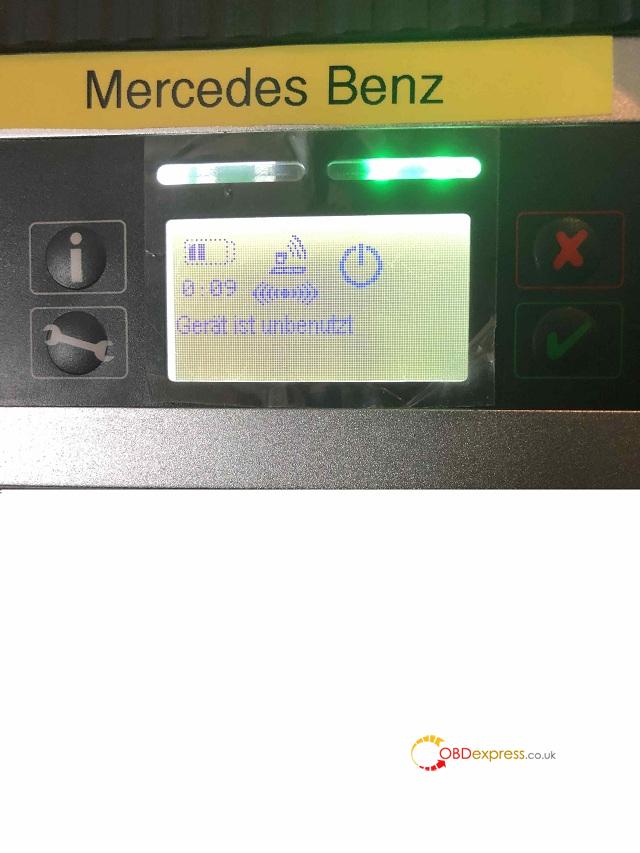
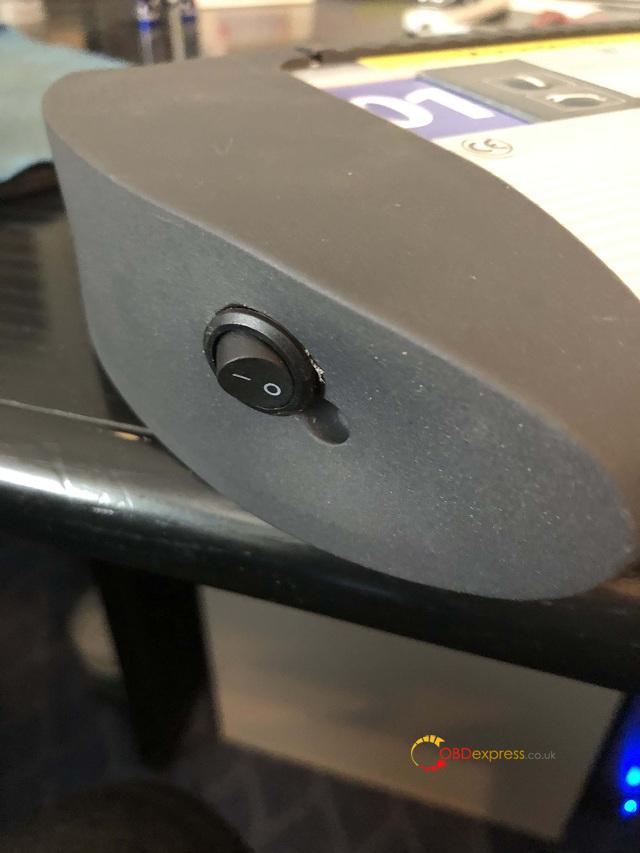
Tip 4: connecting the mux to a power source
When not in use connecting the mux to a power source (battery charger).This way the batteries are always getting charged but I’m not sure if this is a good idea?
Good luck!
http://blog.obdexpress.co.uk/2020/08/04/how-to-update-sd-connect-c4-without-batteries/
Posted by: mbbenzstar at
02:57 AM
| Comments (4)
| Add Comment
Post contains 562 words, total size 18 kb.
January 08, 2020
Vident iLink400 GM OBD2 code scanner (139usd) is one cheap alternative of GM Tech 2 scan tool (the best 349usd). Go on reading the following parts, you will agree.
Vident iLink400 GM scannerwins in:
->Plug-and-play
-> Covers GM cars from1996 to 2019 year (Buick, Cadillac, Chevrolet, Daewoo, Holden, Pontiac, Saturn, Oldsmobile, GMC Truck, Isuzu etc.)
->Diagnostic functions(ECU Info, read code, erase code, live data, active test etc)
->Special functions(Not all GM models have the same special functions, it varies from one to another one.)
-> Suitable forDIY user
->139usd
GM Tech 2 scan tool wins in:
-> Tested working like a charm by an increasing number of users.
-> Coverage:1992 to 2013, if running with Tis2000 Software, it can do programming for GM carsbefore 2017 year. (GM, Saab, Opel, Holden, Suzuki, Isuzu etc)
-> Diagnosis: yes
-> SPS programming: yes
-> key programming: yes
-> Suitable forprofessionals
-> Price: the best quality is349usd
In details.
Part 1: Vident iLink400 GM scanner
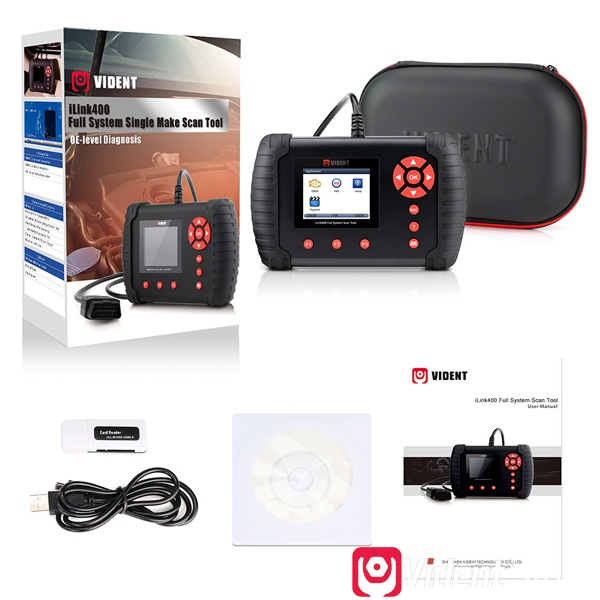
Vident iLink400 GM scanner obd2 diagnostic functions:
ECU Info
Read Codes
Erase Codes
Live Data
Active Test
Vident iLink400 GMscannerspecial function:
Oil Service
Electronic Parking Brake (EPB)
Calibration of Steering Angle Sensor G85
Adapt Battery After Replacing
Throttle Body Alignment (TBA)
Special function of Diesel Engine
Read Anti-theft Code
Reset Airbag
Program Key Fob
Invalidate All Fobs
Key Fob Button Test
etc
Read: Vident iLink400 GM scanner function list
Youtube video:
Chevrolet 1996-2019
Cadillac 1996-2016
Buick 1996-2016
GMC 1996-2016
Pontiac 1996-2013
Saturn 1996-2013
Hummer 1996-2013
Vident iLink400 GM scanner language:
English, French, German, Russian, Spanish Portuguese, Dutch, Swedish and more.
Vident iLink400 GM scanner update:
TF memory card for data backup and software update.
3 years free software update onlinewww.videnttech.com
How to use Vident iLink400 GM scanner?
Vident iLink400 has no car diagnostic software as default, when you receive the device, you need to register one vident ID onwww.videnttech.com, register the machine, download GM software to test.
Step by step procedure:http://www.videntstore.com/upload/pro/19103115725789218359.pdf
Vident ilink400 GM Code Scanner Review:
Vident iLink400 review 1
Cheap and does do what it says it does. Will allow you to control all the sensors and lights on the vehicle if you have the add on for that manufacturer.
Vident iLink400 review 2:
For what I need to use it for it works well. tool is easy to update. I dumped the software for GM into the tool. was easy to do. the sard reader that comes with the tool is a piece of crap I have my own micro sd to USB adaptor that is much better than the one in the kit with the scanner. I have used it a few times. I wish it had a broader reach of abs/sir trans and ecm data it’s hit or miss whet it will read and not the same on every vehicle.
Vident iLink400 GM review 3:
Used Vident iLink400 to perform an automated brake bleed on GM and exhaust system diagnostic. Creating an account and product registration are a chore.
Vident iLink400 GM review 4:
I recently replaced my Throttle Body in a 2011 GMC Sierra and had gone through the entire relearn process with no success. Drove for days with extremely high idle and acceleration issues. Finally took a gamble and ordered Vident iLink400, hooked it up and it was fixed in 2 seconds.


Part 2: GM Tech 2 Scan Tool details

GM, SAAB, Opel, Suzuki, Isuzu, Holden
Coverage of Diagnosis:From 1992 to 2013, With Help of Tis2000 Software, It Can Do Programming for CarsBefore Year 2007.
GM
GM-English 32.008 1991-2013
GM-German 32.008 1991-2013
GM-Spanish 32.008 1991-2013
GM-Japanese 32.008 1991-2013
GM-French 32.008 1991-2013
GM-Thai 32.008 1991-2013
GM-Portuguese 32.008 1991-2013
GM-Korean 32.008 1991-2013
SAAB
SAAB-English 148.000
OPEL
OPEL-English V180 1997-2014
OPEL-Italian 133.001 1997-2012
OPEL-German 85.001 1997-2008
OPEL-Spanish 91.001 1997-2009
Holden
HOLDEN-English  V149 1999-2013
SUZUKI
SUZUKI-English 01.210.020
ISUZU
ISUZU-English CAN-BUS 107.021 2010- (CAN-BUS support car models after 2010)
ISUZU-English K-Line 11.62 1996-2013 (K-line support car models from 1996 to 2011)
(If you want ISUZU software, please tell us you want CAN-BUS or K-line)
- GM Tech 2 Scan Tool functions:
1) OBD2 diagnostic functions.
google search you will have tons of reviews in the GM forums and blogs.
2) SPS programming (System programming system)
google search you will have the SPS programming procedure.
3) Key programming
GM TECH2 can program key with 32MB card and CANdi module, for example: program key fobs for 06 Chevrolet etc.
4) Bleeding ABS with Tech 2
Yes, google search and watch youtube video demo.
To sum up:
Vident iLink400: meets the basic needs of the DIYers, cheap, handheld, easy to use, allow users to add one more car diagnostic software.
GM Tech 2: meet the deep needs of the professional users, which has key programming and SPS programming functions.
Enjoy.
Posted by: mbbenzstar at
06:18 AM
| Comments (2)
| Add Comment
Post contains 807 words, total size 52 kb.
February 20, 2019
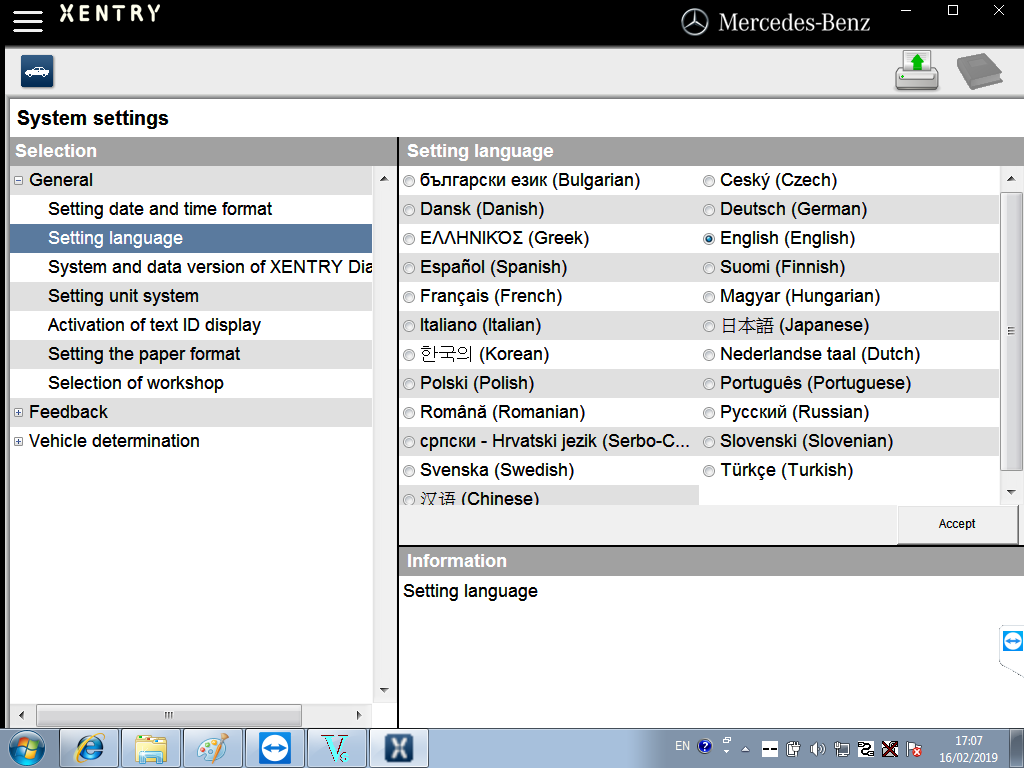
Post supplies Mercedes-Benz Xentry.OpenShell.XDOS 2019.03 (19.3.6) free download source and reliable source.
Newest Xentry V2019.03 is for Mercedes Star diagnosis, DAS XENTRY V2019.03 software is available
V2019.03 Xentry download:
Link 1. free XENTRY DASOPENSHELL( 03-04/2019 ) – Mega
OLD Key & New Key is working
This version need ;2221-45&3.91Error Fixed Solution
Other need; DAS Blacklist Fixed Solution + DAS License 0 Fixed Solution
Windows 7-8-10 x86 & x64 System SUPPORT NOW
OLD key activation information
– This your RISK %100
– Blocked SCN
– Xentry & DAS System Error
– always itneed2221-45 fixed & 3.91 fixed solution
*Note: the above source is from cartechnology.co.uk, I’m not responsible for any risk, please use it at your
 Link 2: Tested and working version
Software Version:2019.03
Update
PC Requirements:Dell/ Lenovo/ Panasonic etc.
CPU
RAM:4GB RAM minimum
language available: English, Croatian, Czech, Danish, Dutch, Finish, French, German, Greek, Hungarian, Italian, Japanese, Korean, Polish, Portuguese, Romanian, Russian; Spanish, Swedish, Turkish, Chinese
Star Diagnosis Xentry Software coverage
Compatible Hardware:
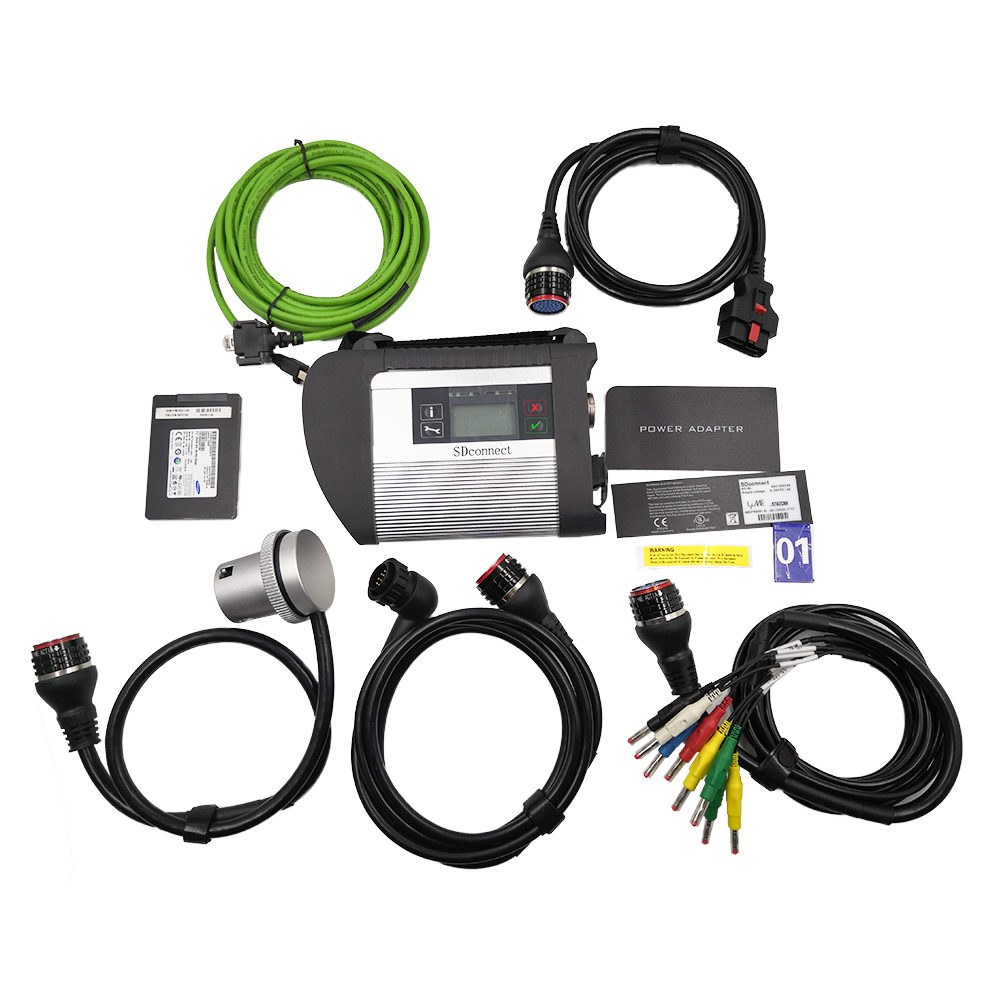
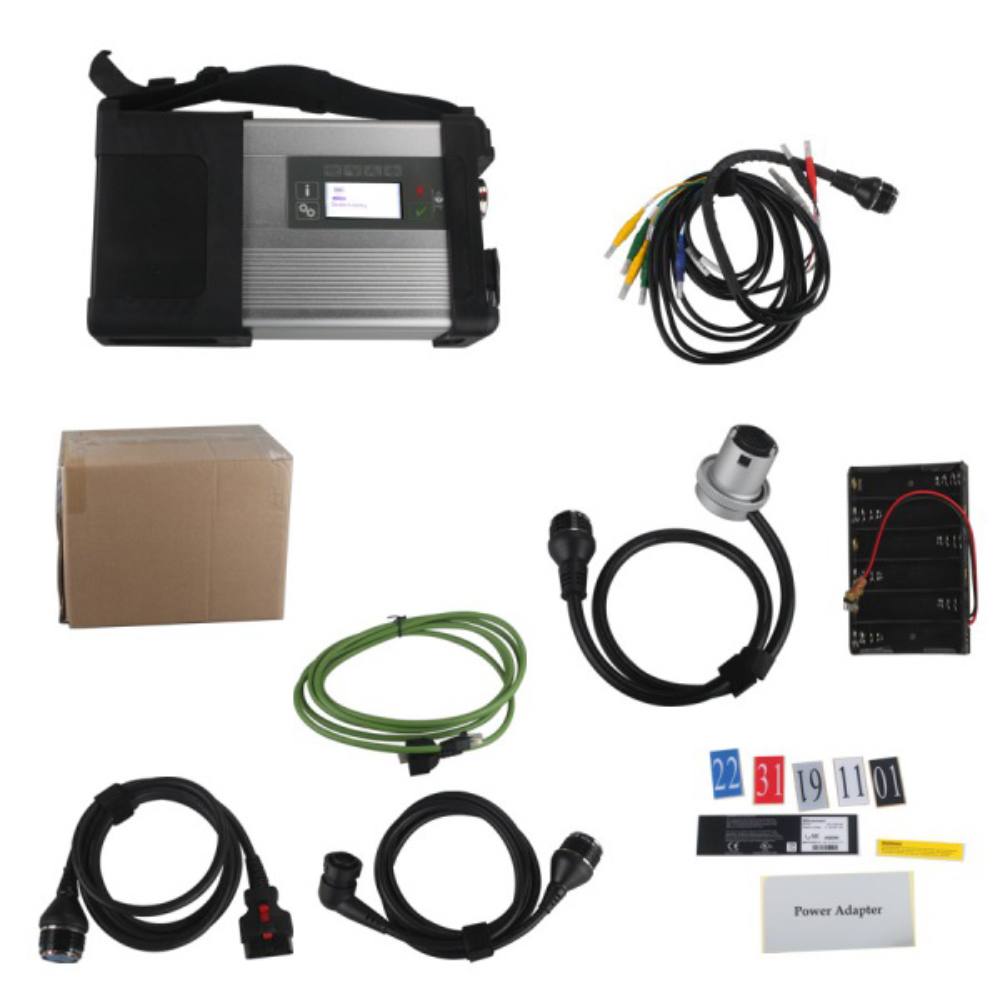

Xentry diagnostic complete powerful software:
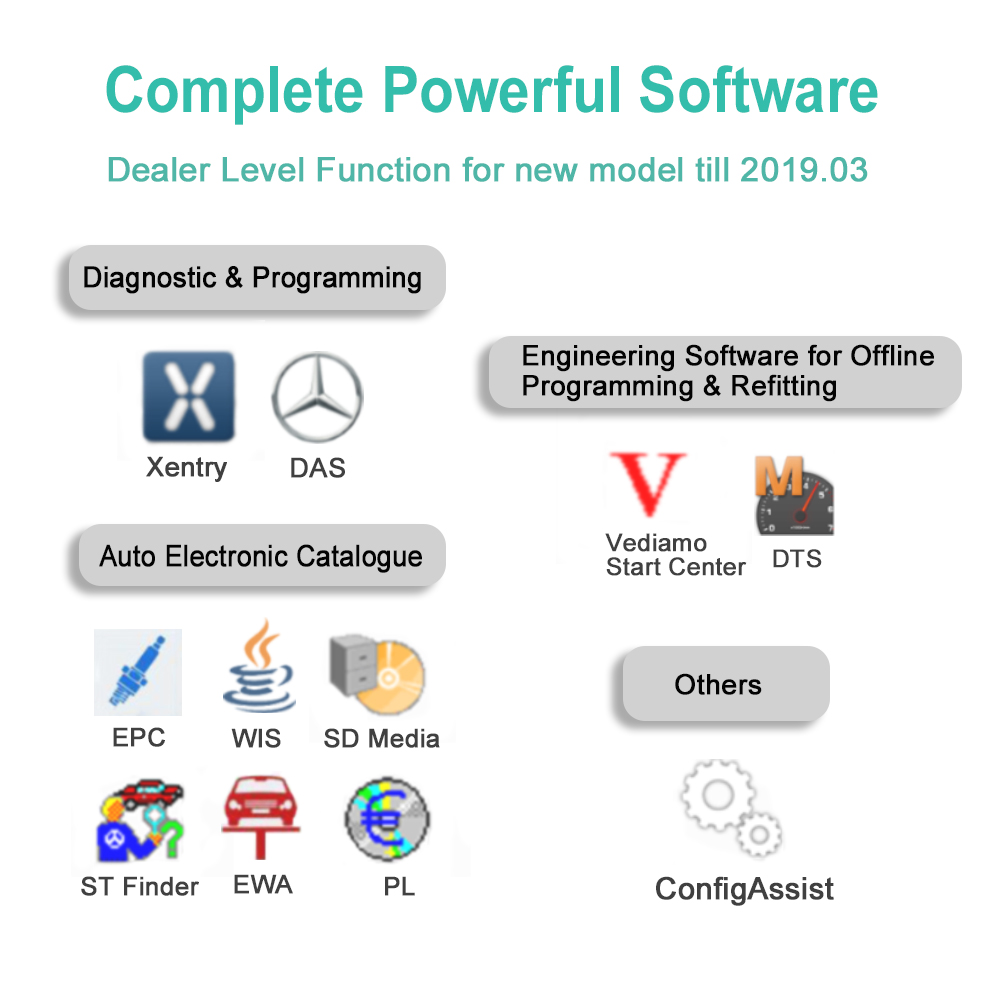


EPC software diagnostic for Mercedes Benz.


WIS/ASRA software diagnostic for Mercedes Benz.

Xentry software V2019.3 workable car brands.
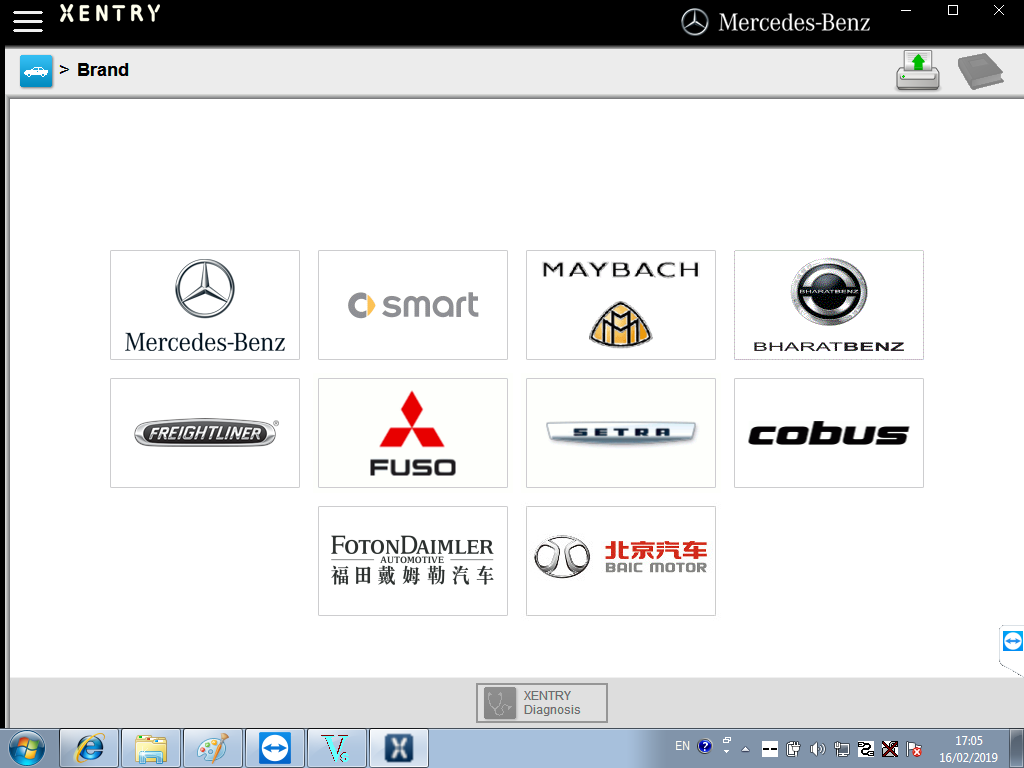
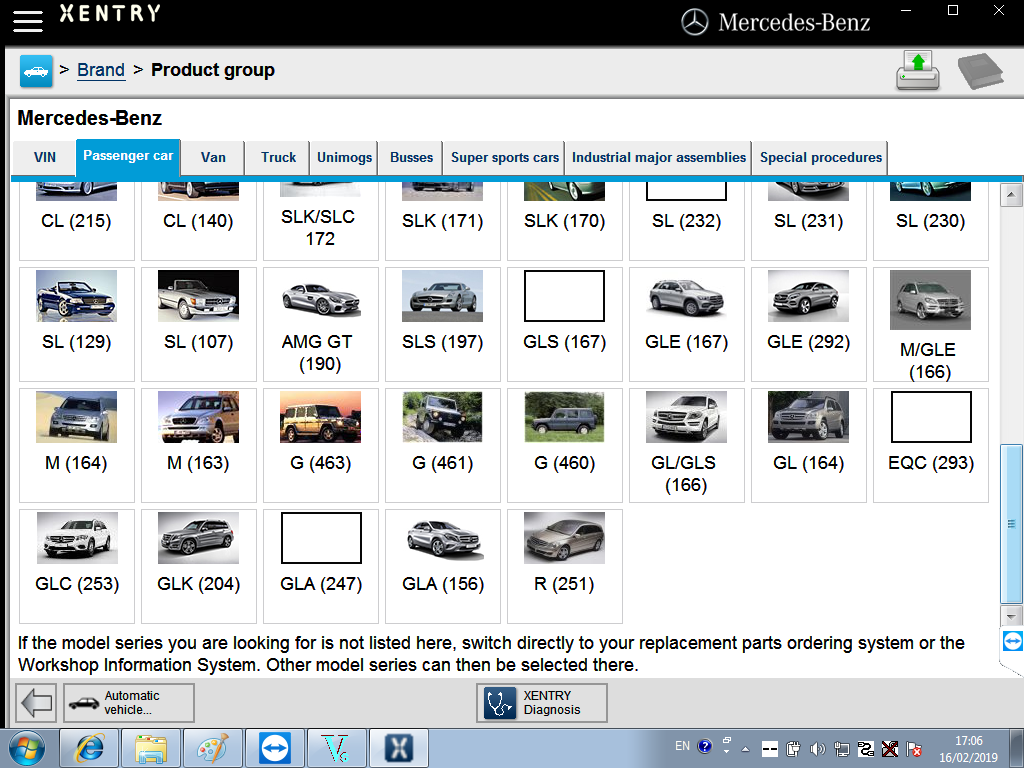

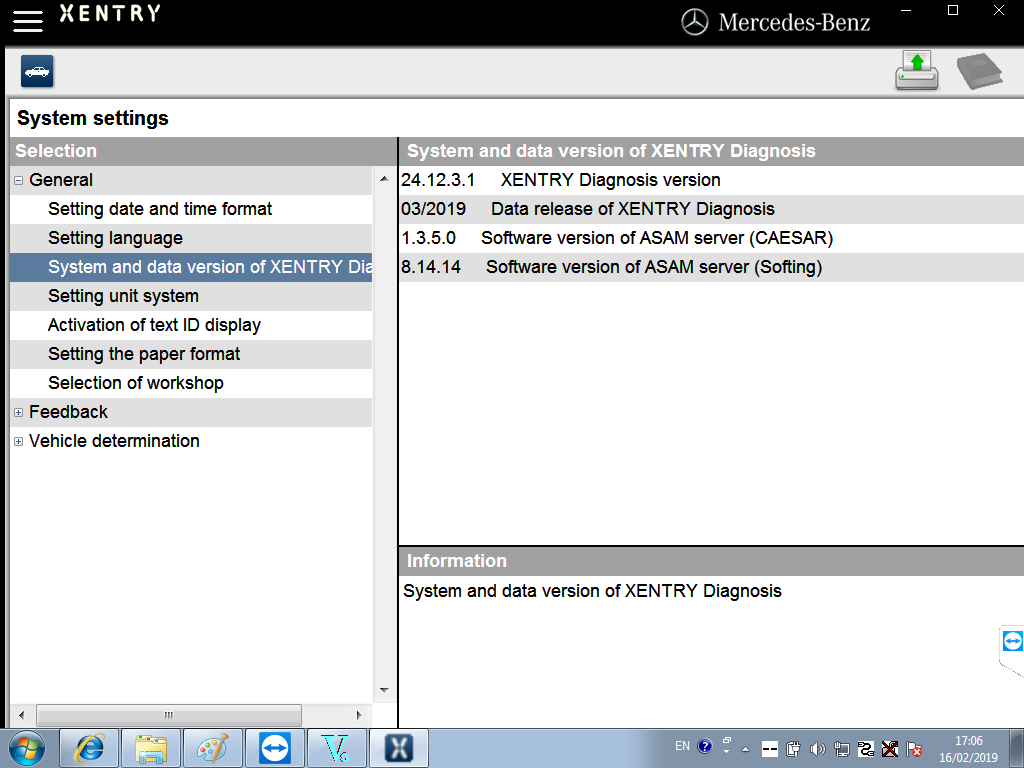


http://blog.obdexpress.co.uk/2019/02/20/free-download-xentry-openshell-xdos-2019-03/
Posted by: mbbenzstar at
06:47 AM
| Comments (3)
| Add Comment
Post contains 297 words, total size 43 kb.
May 10, 2018
SDconnect C4DTS-monacouser manual:
What is DTS-monaco?
Which MBswversion comes with DTS-monaco?
Why do you need DTS-monaco?
What’s the difference between DTS-monacoand Vediamo?
Where to get DTS-monacoconfirmed to work?
Where to download DTS Monaco for free?
How to install DTS Monaco on Windows 7?
Any good success with DTS Monaco?
How do people think of DTS Monaco?
What isDTS-monaco?
DTS Monaco enables the comprehensive testing of diagnostic communication, diagnostic data and diagnostic sequences in the areas of engineering, testingandpreparation of manufacturing tests. It can be adapted flexibly both for a whole range of different test tasks and for different user groups.
Which MBswversion comes withDTS-monaco?
12-2017, 03-2018,05-2018 (newest)

Why do you needDTS-monaco?
Areas of Application
- Development of diagnostic and control functions for ECUs
- Function test and validation
- Integration and system test
- Preparation of test sequences for Manufacturing and Service
- Analysis of returns and Quality Assurance
FlexiblyAdaptable to the Relevant Task
DTS Monaco is part of the Diagnostic Tool Set product family and is based on the DTS Base System. Monaco stands for Modular Analyzer for Vehicle Communication. A clearly laid out start page enables simple and fast access to the functions required most frequently. The actual workspace is divided into two: one area with a fixed layout and one with layouts that you can toggle between. A status display below shows communication server messages. The various functions are realized using special, configurable interface elements. These "HMI Controls†can be arranged freely in the layouts in configuration mode and comprehensively configured.
Early Detection of Problems and Errors
In execution mode, a configured workspace can be "startedâ€. In doing so individual functions can be started automatically and communication can be established in advance if so required. Self-generated test sequences enable both simple and very complex function tests. This makes it possible to detect, and remedy, communication problems and function errors at an early stage. Communication data and test results can be documented in entirety in the process.
Fast Results
For typical usescenariospredefined templates includingan universaldatabase for the OBD self-diagnosis as well as various protocol templates (WWH-OBD, J1939-73 among others) are supplied. In Demonstration mode, all functions can be tested, even without an interface and a license, using a detailed example including simulation. Furthermore, the tool has a completely integrated OTX runtime for running complex test sequences in accordance with ISO 13209. An authoring tool for creating such OTX sequences can be started directly from DTS Monaco.
What’s the difference betweenDTS-monacoand Vediamo?

|
DTS-monacovs. Vediamo |
||
|
Functions |
DTS-monaco |
|
|
All cars have one key code access |
Yes |
No |
|
Vehicle control unit software, One key storage |
Yes |
No |
|
Car fault codes reading |
Yes |
No |
|
Data exchange |
Yes |
No |
|
Quick test |
Yes |
No |
|
Single control unit keys off-set code |
Yes |
No |
|
Offline programming |
Yes |
Yes |
|
Increase reduced SA codes |
Yes |
Yes |
|
Personalize the control unit parameters |
Yes |
Yes |
DTS-monacowins, definitely!
Where to download DTS Monaco for free?
https://mega.nz/#!p9ZDGKwS!VTn9fB80Z9-YKpV8aj9PkRXR3KinAT6RFiW13GGdOHIIt’s free but with unknown security.
Where to getDTS-monacoconfirmed to work?


Here you go.
How to install DTS Monaco on Windows 7?
When installingDTS Monacoto communicates and works withSD connect c4all user installed SDconnect Toolkit version 2.1.3. And no one tried to force the work SDconnect Toolkit version 2.1.4.2, which is installed together with the installation of Setup_Addon_DAG. And I did it.
Checked only on the system without DAS/Xentry.
DTS Monaco 8.03.12.
Windows 7 x64.
Follow the next steps:
- InstallMonaco
- InstallSetup_Addon_DAG
- Go toС:\ProgramData\I+ME ACTIA\Toolkit\
- Open and edittoolkit.ini
Code:
ShowInTray=2
NetworkIcon=2
DeviceIcon=1
ConnectionState=1
- Save file and reboot Windows
- Connect SDconnectMUXvia cable
- StartSystem Configurator
- Go toLicensesand you will see your MUX asDCDIPartWwith your serial number. After editing inInterfacestype of MUX will change toMVCI_IME_ACTIA_GmbH_SDconnect
- Go toInterfaces
Code:
eCOM_SMR
Interface name – > SDconnect_SMR
Bus system interface – > D-PDU API
D-PDU API version – > I+ME ACTIA GmbHXS_D_PDU_API_FOR_DTS_8_03_12
Module type – > MVCI_IME_ACTIA_GmbH_SDconnect
Cable – > CABLE_OBDII_SDCONNECT
Physical links: CAN1, CAN4, CAN8
- ClickSaveand closeSystem Configurator
- Now you can connect to the car or single ECU
Any good success with DTS Monaco?
DTS Monaco works good – Mercedes W205 coding
Mercedes-benzW205 coding with DTS Monaco
The video will help you to know how to use DTS.
How do people think of DTS Monaco?
I successfully connected toZGW221w/o car
DTS Monaco always sends a notification that it is impossible to contact theEIS221to read the mileage, voltage, etc. (because w/o car)
(more reviews will be updated here…)
Src:
http://blog.mbstartool.com/2018/05/10/sdconnect-c4-dts-monaco-user-manual/
more...
Posted by: mbbenzstar at
06:42 AM
| Comments (2)
| Add Comment
Post contains 732 words, total size 81 kb.
May 09, 2018
Mbstartool.comprovidesMBSTARaccessoriesincluding RS232 to RS485 Cable, OBD2 16pin Cable, 38 Pin cable, LAN cable, Z-TEK USB1.1 to RS232 convert connector
38 Pin Diagnostic Connector Cable for MB

Works on all vehicles with a 38 PIN diagnostic connector.
Specifications:
1.Cable definition:
Pin-out Diagram
OBDII Connector(Female) -- 38Pins Connector
4+5-----------------1(Signal Ground)
7---------------------15(
16---------------------3(Power)
FAQ:
Q
A


XHORSE VVDI TOOL OBD Cable

XHORSE VVDI 2 VVDI 2 Main Test Cable

This is the Main Test Cable only; CANNOT be used alone
Works together with XHORSE VVDI2 Commander Key Programmer
Pls. order this cable alone, if your XHORSE Main Test Cable is lost or damaged


LAN Cable Length: 5M
Function:
Works together with SD Connect Compact 4, used to connect SD C4


RS232-RS485 Cable Length: 536CM


Function:
Connect STAR C3 with laptop


Condition: Used
Brand: Lenovo
Type: Laptop/Notebook
Screen Size: 14.0
Memory (RAM):Intel(R)Core(TM)I5 CPU
Primary Drive: DVD+/-RW Processor Speed:2.53GHz
Processor Configuration: Dual Core
Memory: 4GB
There is no hard disk in this package. This laptop can be used to install Porsche PIWIS Tester II Software, BMW ICOM Software or SD C4 software. Compared


Specification:
Brand: ThinkPad
Condition: Used
Type: Laptop/Notebook
Screen Size: 14.0
Processor Type: Intel (R) Core(TM) I5-2520M CPU
Processor Speed: 2.50 GHz
Processor Configuration: Dual Core
Memory: 4GB
Warranty: 6 Month
There is no hard disk in this package. This laptop can be used to install Porsche PIWIS Tester II Software, BMW ICOM Software or SD C4 software. Compared


Item specification:
Condition: Used: An item that has been used previously. The item may have some signs of cosmetic wear, but is fully operational and functions as intended.
Brand: Dell
Type: Laptop/Notebook
Screen Size: 14.0
Memory (RAM): 2000 Processor Type: Intel Core 2 Duo
Primary Drive: DVD+/-RW Processor Speed: 1.80 GHz
Processor Configuration: Dual Core
Memory: 4GB

Dell D630 Core2 Duo 1,8GHz, WIFI, DVDRW Second Hand Laptop for MB STAR C3/MB SD C4

Item specification:
Condition: Used(An item that has been used previously. The item may have some signs of cosmetic wear, but is fully operational and functions as intended)
Brand: Dell
Type: Laptop/Notebook
Screen Size: 14.0
Memory (RAM): 2000 Processor Type: Intel Core 2 Duo
Primary Drive: DVD+/-RW Processor Speed: 1.80 GHz
Processor Configuration: Dual Core
Memory: 1GB
http://mbstarshop.blogspot.com/2018/05/mbstar-
Posted by: mbbenzstar at
08:44 AM
| Comments (1)
| Add Comment
Post contains 555 words, total size 37 kb.
March 07, 2018
2018.03 MB SDconnect C4 software(XENTRY/DAS) is verified to work with the sd c4 diagnostic tool without issues. Here is the test
This is the
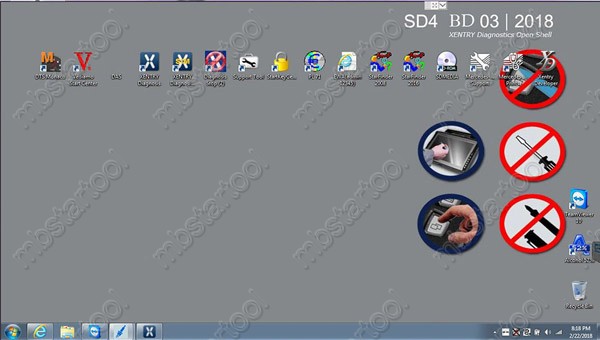
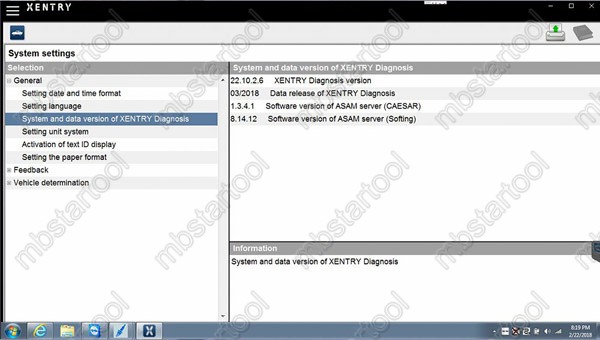
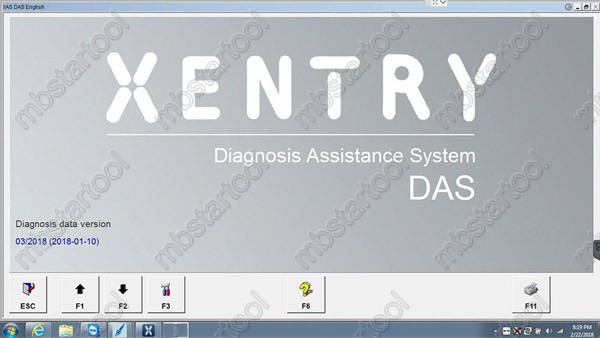

256GB Complete New SSD, High quality!
Latest software version: V2018.3
Support Windows 7 system.
NOTE:
Don’t download anything to the software, don’t update anything of the software, otherwise the software will break down.(Especially browser such as Google Chrome)
Mercedes bus diagnosis & programming can be done via DAS only, NOT Xentry.
Software languages: Chinese, English, Croatian, Czech, Danish, Dutch, Finish, French, German, Greek, Hungarian, Italian, Japanese, Korean, Polish, Portuguese, Romanian, Russian, Spanish, Swedish & Turkish.
V2018.3 MB SD C4 Software Functions:
1.1989~up to now Car, Bus, Truck, Sprint, Smart ;
2.All electric system Diagnostic;(Do not include flash code)
3.reading trouble code
4.erasing trouble code
5.live-data
6.adaptation
7.component testing
8.maintenance
9.information consultation
10.component location diagram
11.wiring diagram
Testable systems:
ENGINE
AUTO-SPEED
AIRCONDITIONALSYSTEM
SRS
ABS
ASR
MPL
GM
Bz ORIGINAL ANTI-THEFT
DASX SYSTEM
KEYZESSGO SYSTEM
OBD-II SYSTEM
Product software includes: (Version: 2018 )
1. D-A-S / Xentry 2018.3: the automatically Diagnosis Assistance System
Concise interface and straightforward operation with IB M high-quality computer can realize the quick and accurate code reading and the whole car system testing
2. W-I-S net 2017.10: Workshop Information System
Supply the whole view of the wiring diagram in a car, component location diagram and maintenance method. What you do is to enter the chassis number, and then you will get the manufacture data, engine configuration and the car model -all in detail.
3. EPC.net 2017.10: Electronic Parts Catalog
4. ST Finder: Part Location Finder options: 2008 and 2016
5.STARUTILITIES
6. SDMEDIA 2014
7. PL71: 2016 Mercedes software with PL70
Work With:
SD Connect C4 Mercedes diagnostic tool from
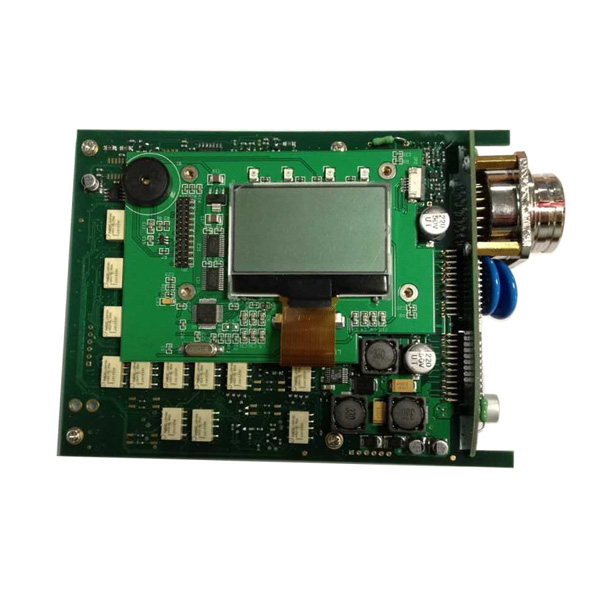
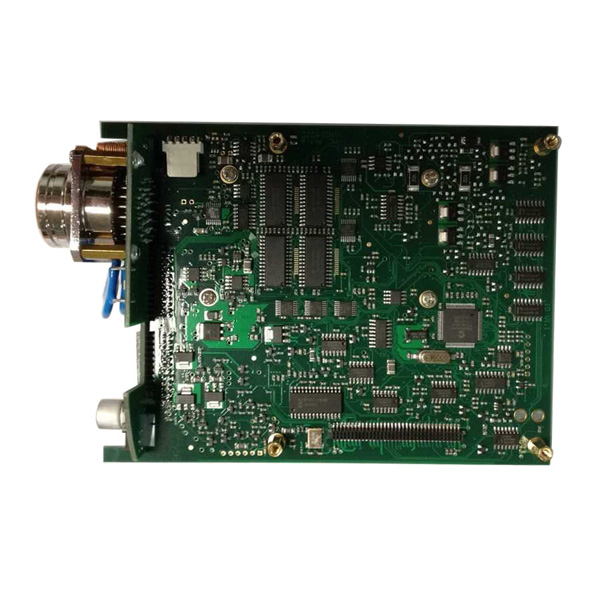
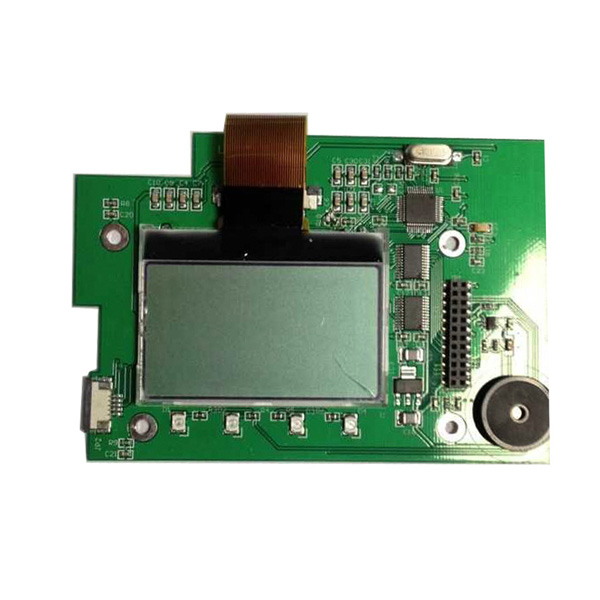
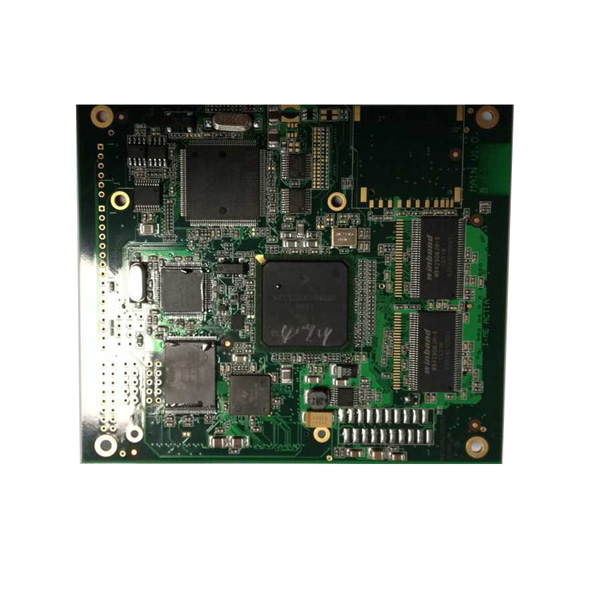
Note: there are many versions
BTW:
Customer service:
Skype: MBStarTool.com/ +86 18030393369
Email: sales@MBStarTool.com
Posted by: mbbenzstar at
06:18 AM
| Comments (3)
| Add Comment
Post contains 354 words, total size 32 kb.
February 08, 2018
Here is09.2017Xentry/DASExpire Error Message and Solution:
Xentry/DAS Expire Error:
Lavalidatadell’attualeversionedeidatiscadradal2018/02/21.installareunaversionedeidatiattuale.
Error message in English:
Thevalidatedcurrentversionofthedatawillrangefrom2018/02/21.installacurrentversionofthedata.
Upload photos…


How to solve:
Reactivate xentry or setup your PC time earlier
Better reactivate
Xentry/das can be reactivated yourself anytime if you have software from the site:mbstartool
Posted by: mbbenzstar at
09:26 AM
| Comments (1)
| Add Comment
Post contains 48 words, total size 10 kb.
February 06, 2018
I bought "Original Clone Xentry Connect C5†from China’s retail store in 2017/12.
Good thing:
1. Unlike bad products of C5 type C4 motherboard, texture is good
2. DoIP specification
Bad thing:
1. Because it is VM system + 32bit, the reaction is slow (SSD though …)
2. Vediamo can be used, but feeling like driving with DELL D 630 (unsuitable)
3. The DTS Monaco software is installed but the connection with the vehicle is NG (currently retail stores and manufacturer engineers are thinking about how to fix it)
4. Passwords are applied to each drive, making it hard to customize
5. Retail shops and manufacturer engineers lack knowledge (take time to support)
My thoughts
I think purchasing this product is still early.
There are too many trouble elements.
I’ll report it when the situation changes.
What I currently
Best regards
Posted by: mbbenzstar at
03:47 AM
| Comments (4)
| Add Comment
Post contains 169 words, total size 8 kb.
January 15, 2018
I have figured out how to change the serial number of the VCM2 as well as enter test mode, and get a root shell on it.
You’ll need a microSD card for this to work.
1. Use IDS 86.
2. Recover yourVCM2.
a. Describing how to recover is beyond the scope of this post. Search the forums for instructions.
b. Afterrecoveryyour VCM2 should be at VCM2 FW version 2.1.1.5.
3. Wait about 90 seconds after the VCM2 beeps before proceeding. We are waiting for the SD card to be populated.
4. Unplug the VCM2 and eject the SD card.
5. Mount the SD card with
6. On the SD card open ‘apps/
7. Add the following line to the file:
touch /etc/
8. Cleanly unmount the SD card and insert it back into the VCM2.
9. Plug theVCM2
10. Launch IDS.
11. Go to system utilities

- Select ‘Launch Monitor Tool’ and confirm on
thepop up.
13. Select ‘Run System Diagnostics’ > ‘Next’ > ‘Test a VCM II Module’ > ‘Next’

- Once the test
completesunplug , wait a coupleseconds, and then re-plug the VCM2 into the computer.
15. Wait about 15 seconds past when the VCM2 beeps and point your browserto http ://192.168.171.2

You are now in the test mode web server.
a. To set a new serial number select ‘Set New Serial Number’ and proceed with serial number setting.
The default serial number is: 1211-31605352
b. To get a root shell Telnet to 192.168.171.2 you will be dropped to a root shell without providing login credentials.
c. To stay
Here Be Dragons:
To those who would go poking around
My bootloader was
Posted by ColtB45
src: https://mhhauto.com/Thread-VCM2-Hacking
YOU ARE TRYINGONYOUR OWN RISK!
Posted by: mbbenzstar at
07:05 AM
| Comments (4)
| Add Comment
Post contains 362 words, total size 18 kb.
January 12, 2018
Video from Facebook
Upload photos:


Source:
Posted by: mbbenzstar at
06:06 AM
| Comments (5)
| Add Comment
Post contains 25 words, total size 42 kb.
50 queries taking 0.1363 seconds, 177 records returned.
Powered by Minx 1.1.6c-pink.

